Temporary files
Backend job files are retained for up to 24 hours by default, or until you delete the job after downloading.
Upload a PDF score, review the notation, and export clean parts for concert, B-flat, E-flat, F, or custom instruments.
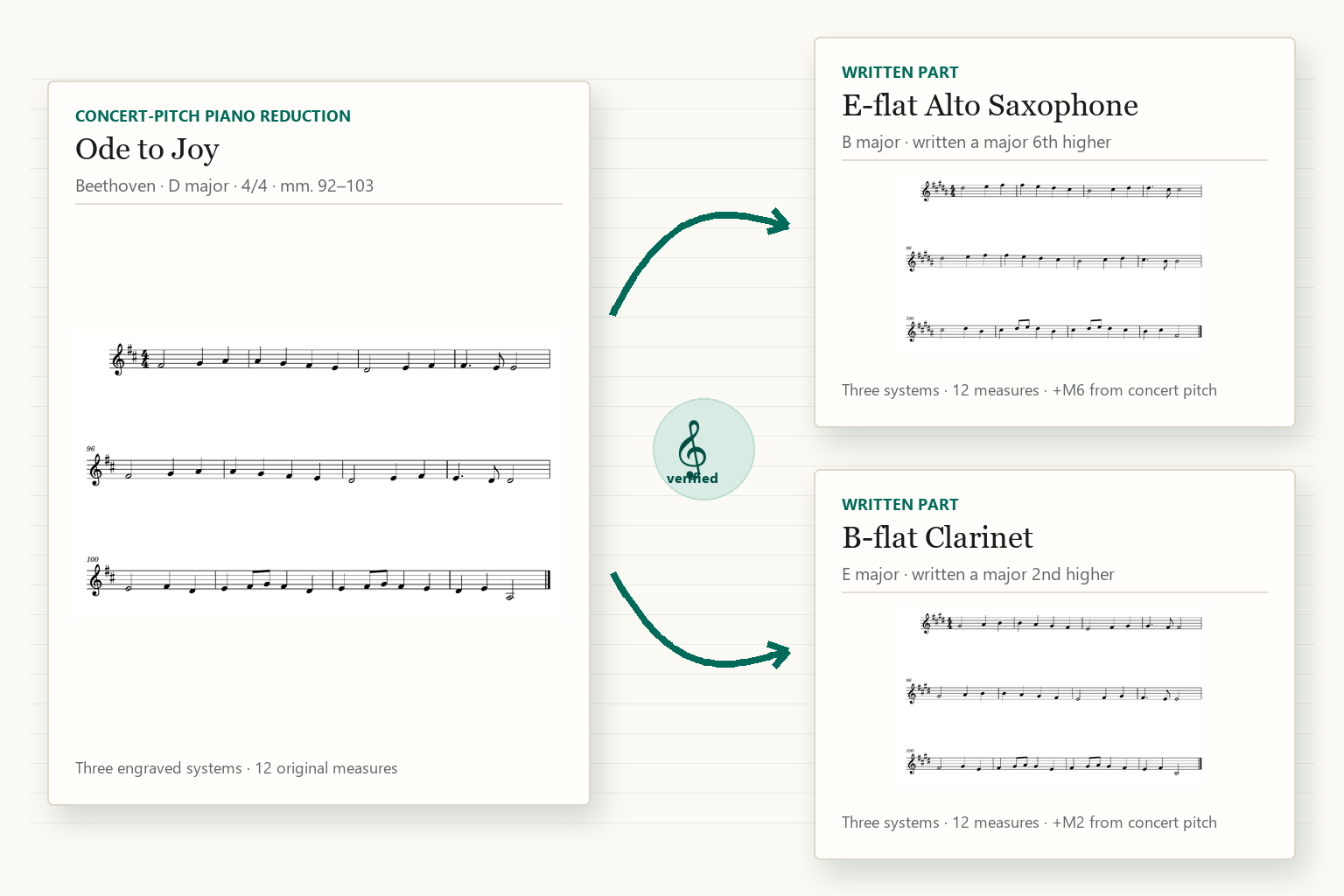
A reviewable workflow
Transpose Music separates recognition, review, and export so you can inspect the editable score before creating final parts.
Send a PDF score to the configured backend for optical music recognition.
Download or replace the recognized MusicXML or MXL before accepting it for export.
Choose transposition profiles and clefs, then export PDF and MusicXML results.
For arrangers, ensembles, and players
Prepare concert-pitch and transposing-instrument parts without losing access to the editable notation.
Clear about processing
Recognition quality depends on the source PDF and the notation tools configured on the backend. Review the editable result before export.
Backend job files are retained for up to 24 hours by default, or until you delete the job after downloading.
Production clients use HTTPS, and subscription-gated jobs are scoped to the active subscriber who uploaded them.
When paid access is enabled, Stripe handles checkout and the billing portal.
Only upload scores you own, have licensed, or otherwise have permission to process.
Ready when your score is
Start with a score you have the right to process, then review the recognized notation before export.
Open web app